
Going live with Referrals
Going live with Referrals
Things to make sure before you go live with referrals.
Please make sure you cross check the following steps before making your referral program live (for your end users).
Configure Reward Rules
Section titled “Configure Reward Rules”Ensure that you’ve configured the reward rules for both the Referrer (your existing customer) and the Friend (new prospect your existing customer is helping you acquire).
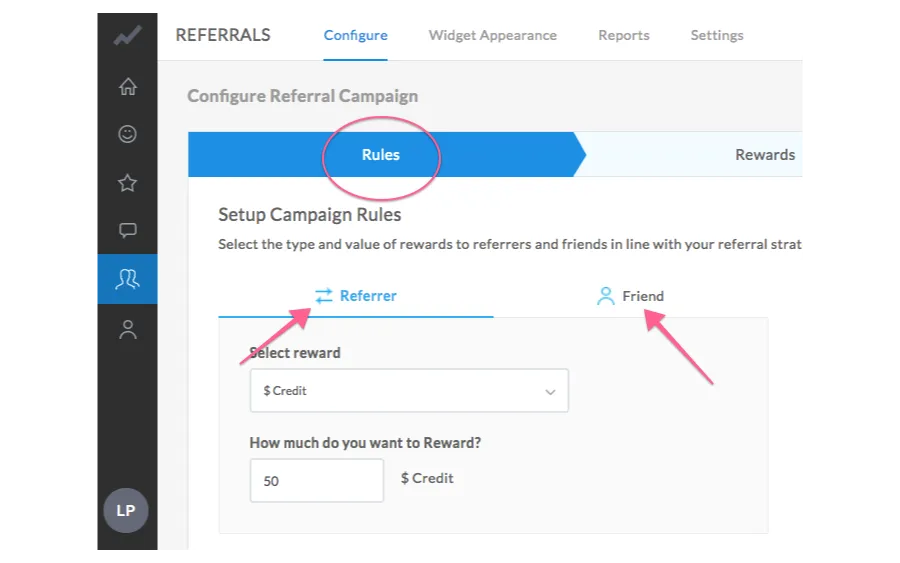
You will find this under: Referrals > Configure >> Rules
Configure Rewards
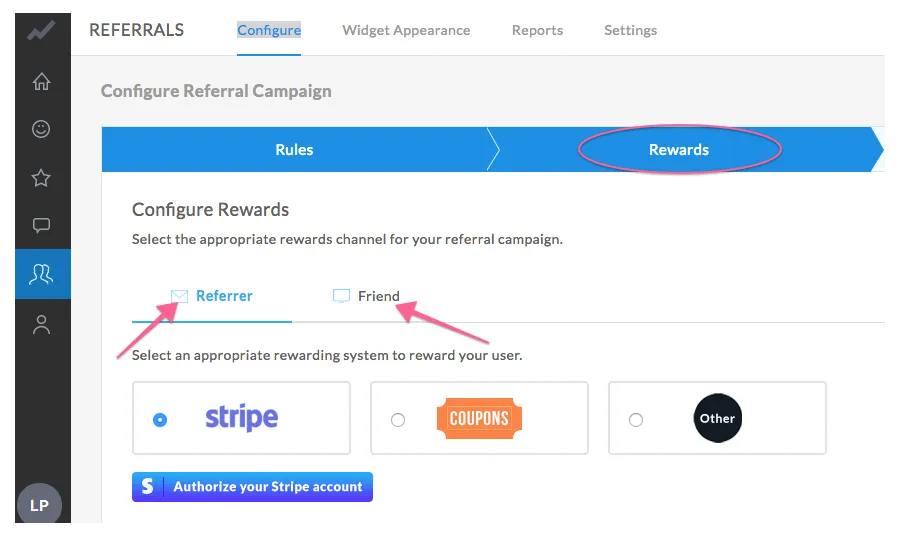
Section titled “Configure Rewards”Decide the way/medium (Stripe/Gift Cards/Other) you would like to reward your Referrers & _Friends
_AND
Make sure to configure the same.
It’s mandatory to configure this step to enable rewards for your users in real-time.
Mediums for Rewards
Section titled “Mediums for Rewards”In case of Stripe – Simply authorize your stripe account
In case of Gift Cards – Upload the coupons/gift cards
If you wish to reward by any other means, feel free to use our webhooks
Install Referral Widget
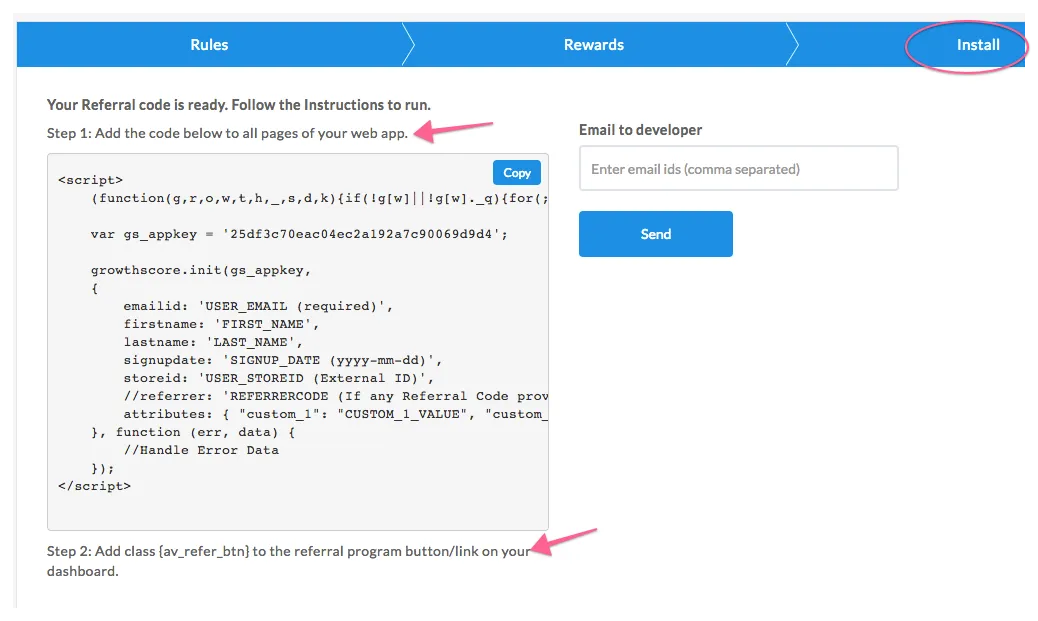
Section titled “Install Referral Widget”You will find a short code snippet in this section.
Make sure your developers install the widget code properly – embedding this piece of code in the right place.
Widget Appearance
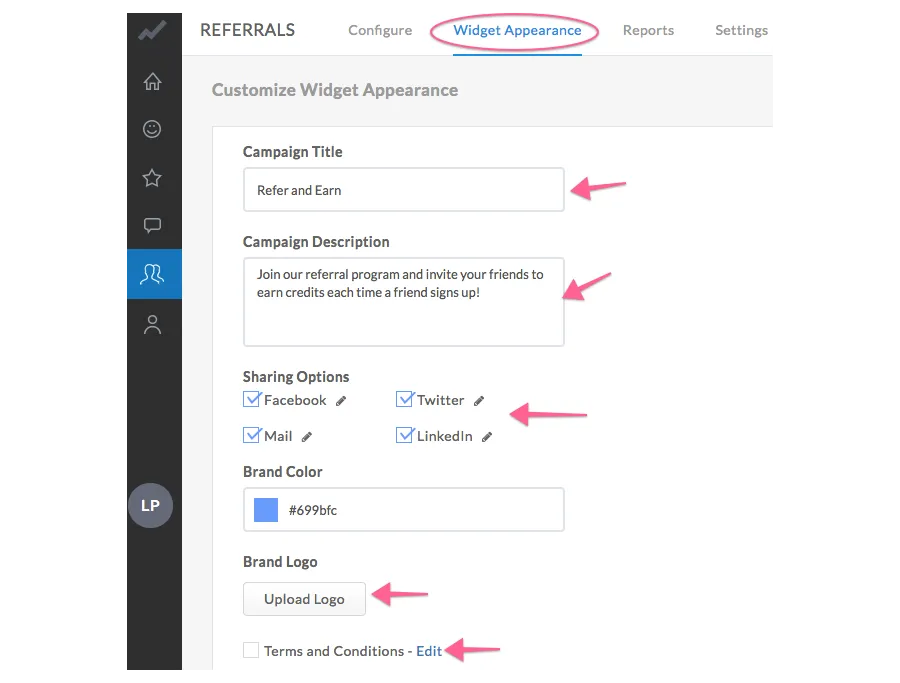
Section titled “Widget Appearance”Customize your referral widget appearance.
This is what your customers see when they click on “Refer friends” button on your dashboard
Make sure you have a good title and description that explains what’s in it for your customers to join the referral program.
Example:
Title: “Refer and Earn”
Description: “Refer your friends to AppVirality and earn a $50 Amazon gift card for every friend who opts for a paid account.”
Outreach
Section titled “Outreach”Whenever a happy customers is found (via NPS/CSAT), GrowthScore automates the outreach and invites/reminds customers about your referral program.
That’s like finding customers who are most likely to invite their friends, and reminding them at the right point in time about your referral program.
Make sure you’ve the best email copy here to maximize the conversion.

Notifications
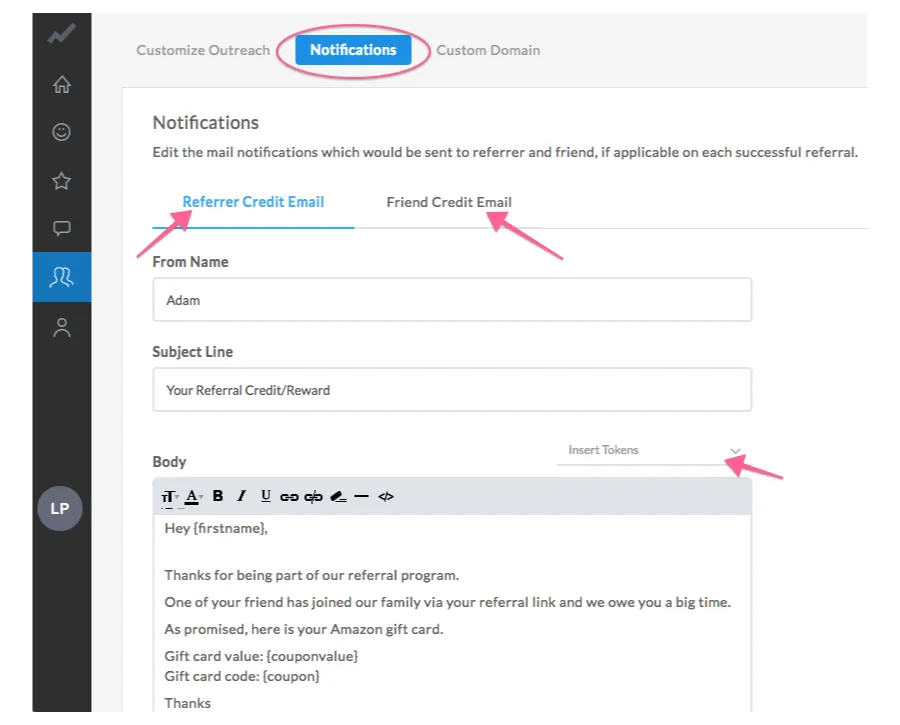
Section titled “Notifications”These email notifications would go to your Referrers/Friends as and when they are eligible for rewards. You can use replacement tokens to:
- address customers with their names,
- include reward value,
- show gift card code
End Note
Section titled “End Note”The above steps are absolutely essential to ensure.
It is highly advised that you reach out to your Account Manager before going live with the campaigns – so as to ensure all steps are taken care of.
Happy GrowthScoring 😉